

Description
The Wireless Bluetooth Speaker Kit transforms electronics education into an exciting hands-on experience. Students build a device they will want to use instead of just reading about circuits in textbooks.
This kit helps students learn real skills. They will assemble real electronic parts into a portable Bluetooth speaker. It even has wireless charging! Each wire they connect and every component they add teaches them about modern wireless devices.
The kit strikes the perfect balance between educational value and practical application. Students explore audio technology, power management, and wireless systems. They create projects to showcase to friends and family.
Teachers love this kit because it brings abstract electronics concepts to life. Parents want their kids to learn valuable STEM skills by creating something useful. Students enjoy the satisfaction of making a device that actually works.
No previous electronics experience is required. The guide takes users through every step. It explains what each part does and why it is important.
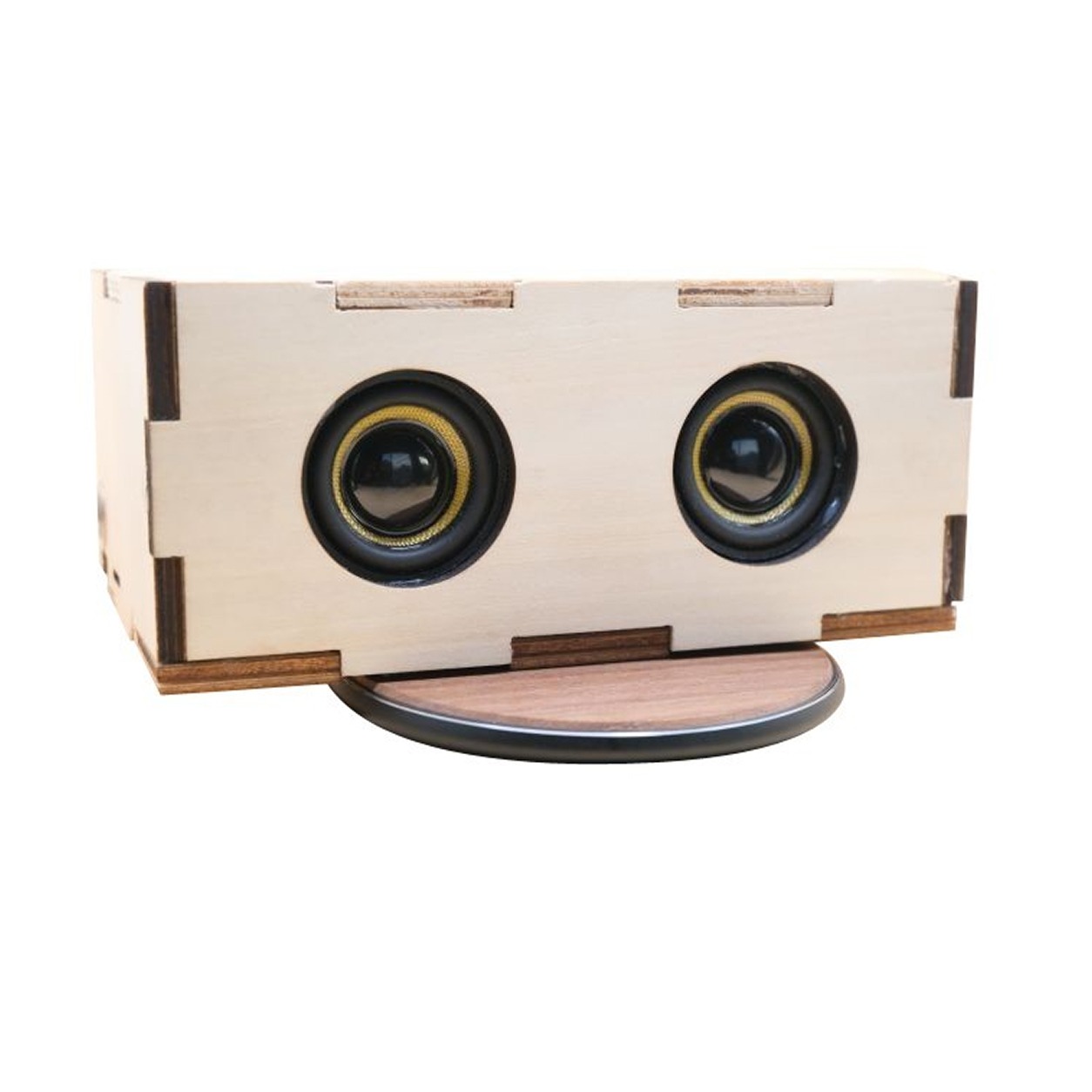
The kit is supplied with all electronic parts, you get to design and build the speaker enclosure of your choice.
What’s Included?
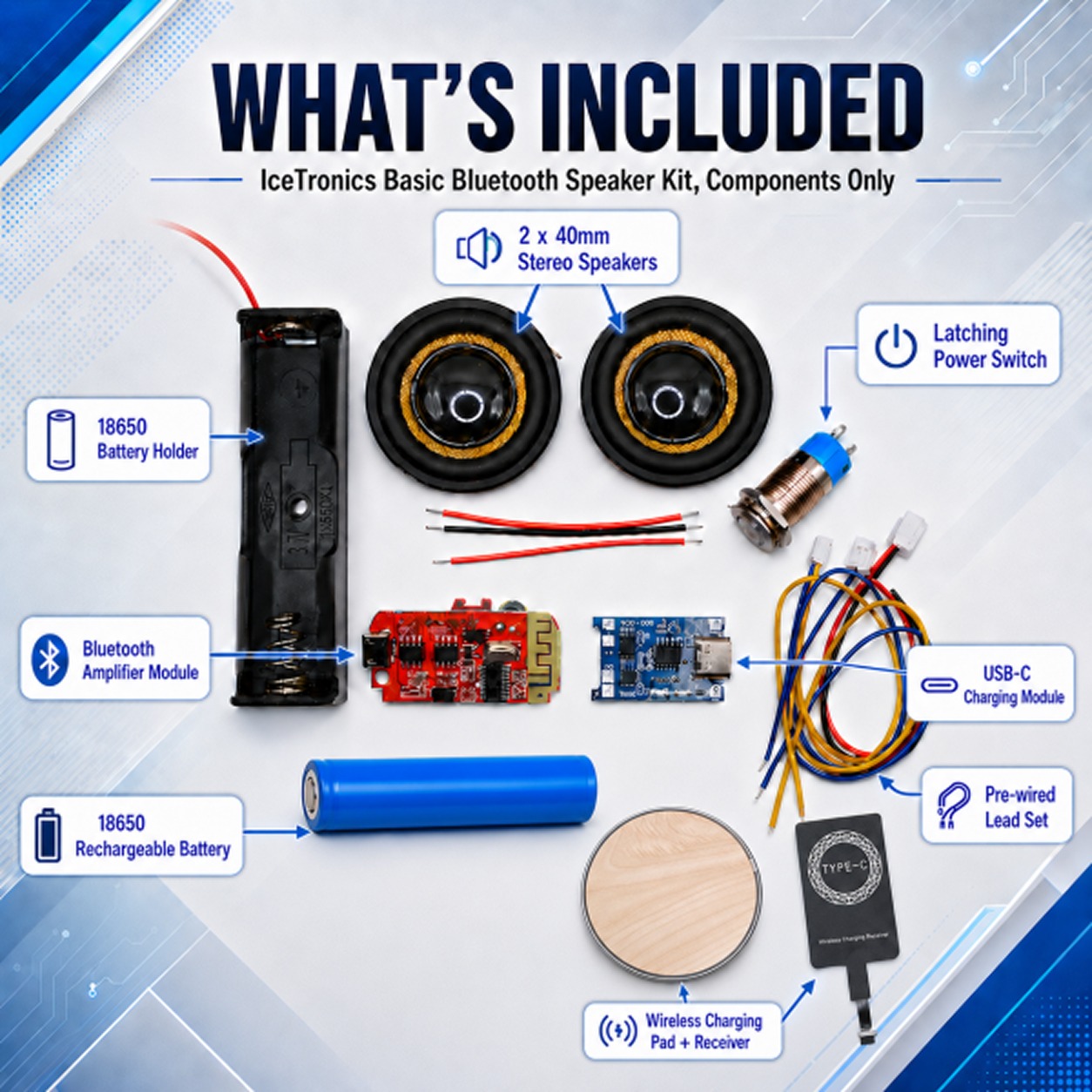
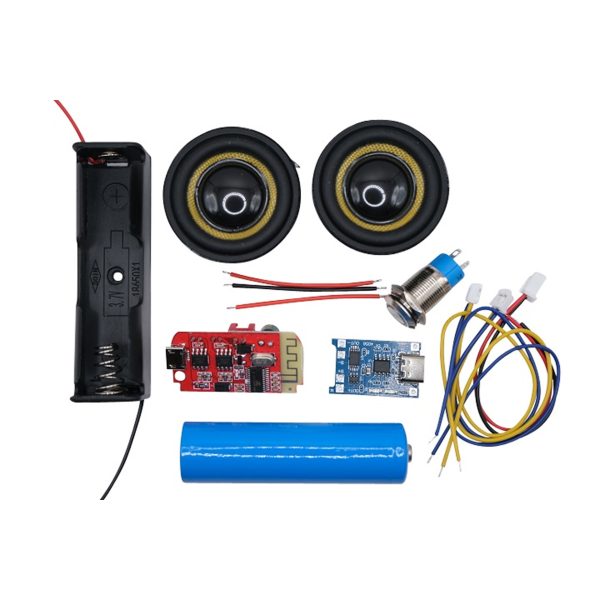
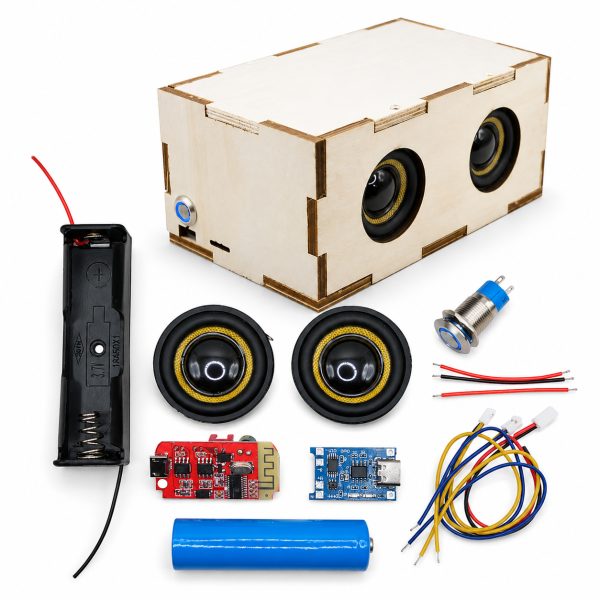
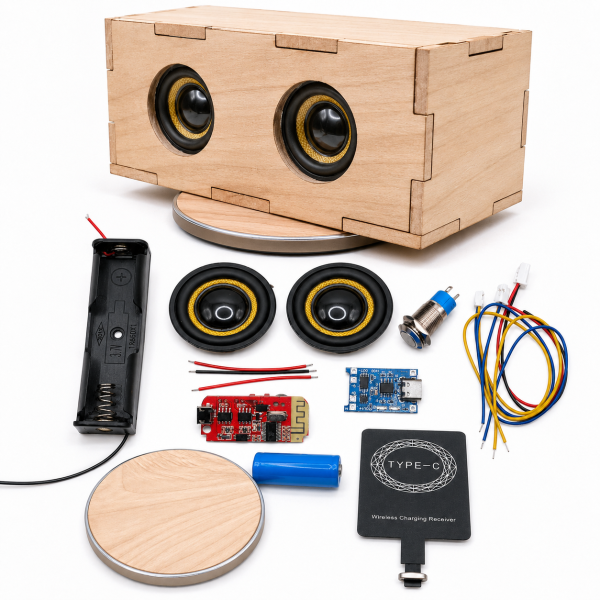
Complete Electronics Components:
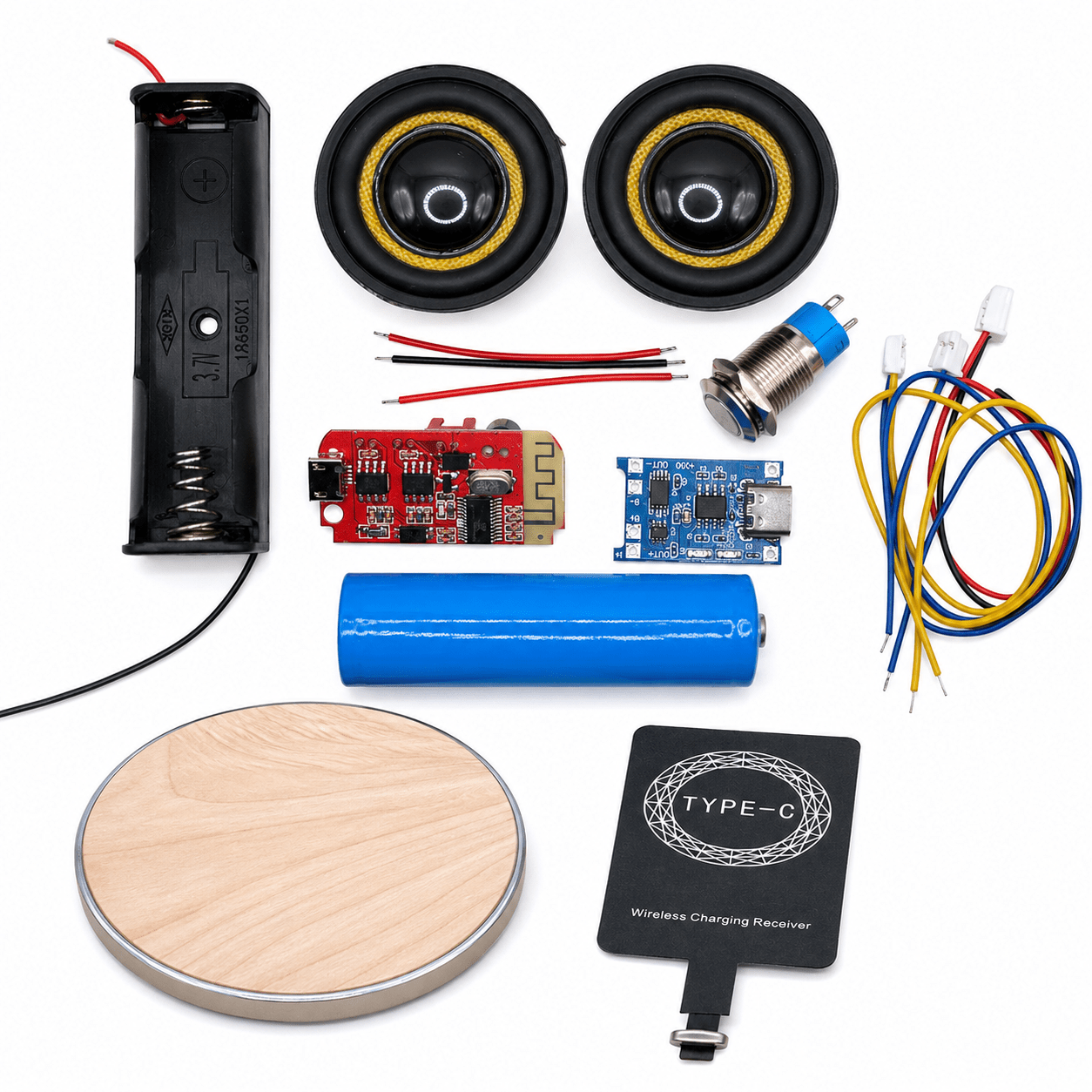
- Bluetooth amplifier module (combines wireless audio reception and sound amplification)
- Pair of 40 mm speakers (4Ω, 5W) for stereo left and right audio outputs.
- Passive radiator for enhanced bass response.
- 3.7V lithium-ion rechargeable battery with a secure holder
- Battery charging module with USB-C input for safe, controlled charging.
- 12 mm latching push-button power switch
- Wireless charging receiver pad (captures wireless charging energy).
- Wireless charger transmitter disc (generates a wireless charging field).
- Connecting wires for easy assembly.
Documentation:
- Detailed assembly and wiring guide with block diagrams.
- Step-by-step connection instructions.
- Component explanations that teach you as you build.
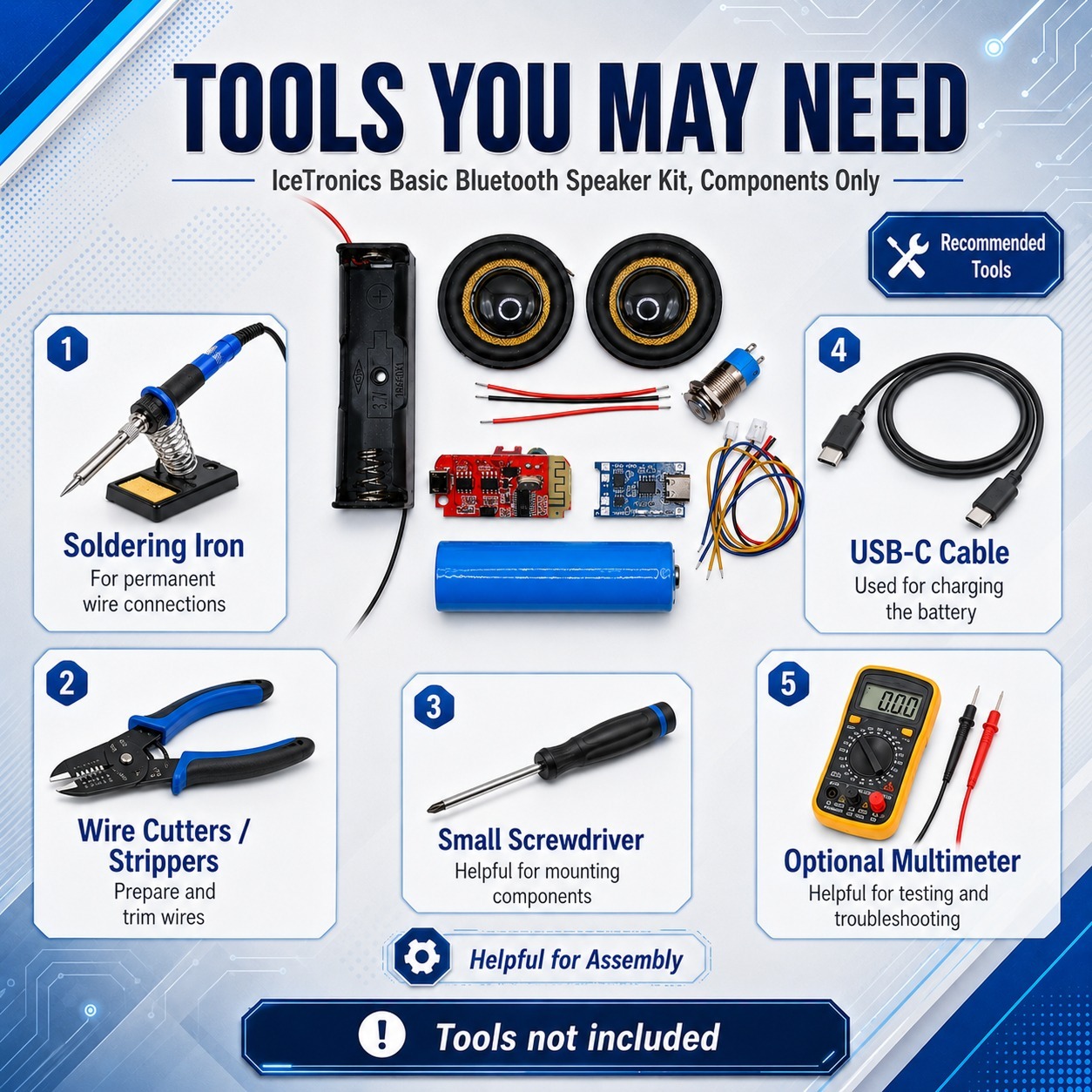
What you’ll need to provide:
- Soldering iron and solder (for permanent wire connections).
- Wire cutters/strippers
- Materials for speaker enclosure (optional but recommended – cardboard, wood, plastic, or 3D-printed cases)
- Basic hand tools for building a custom case.
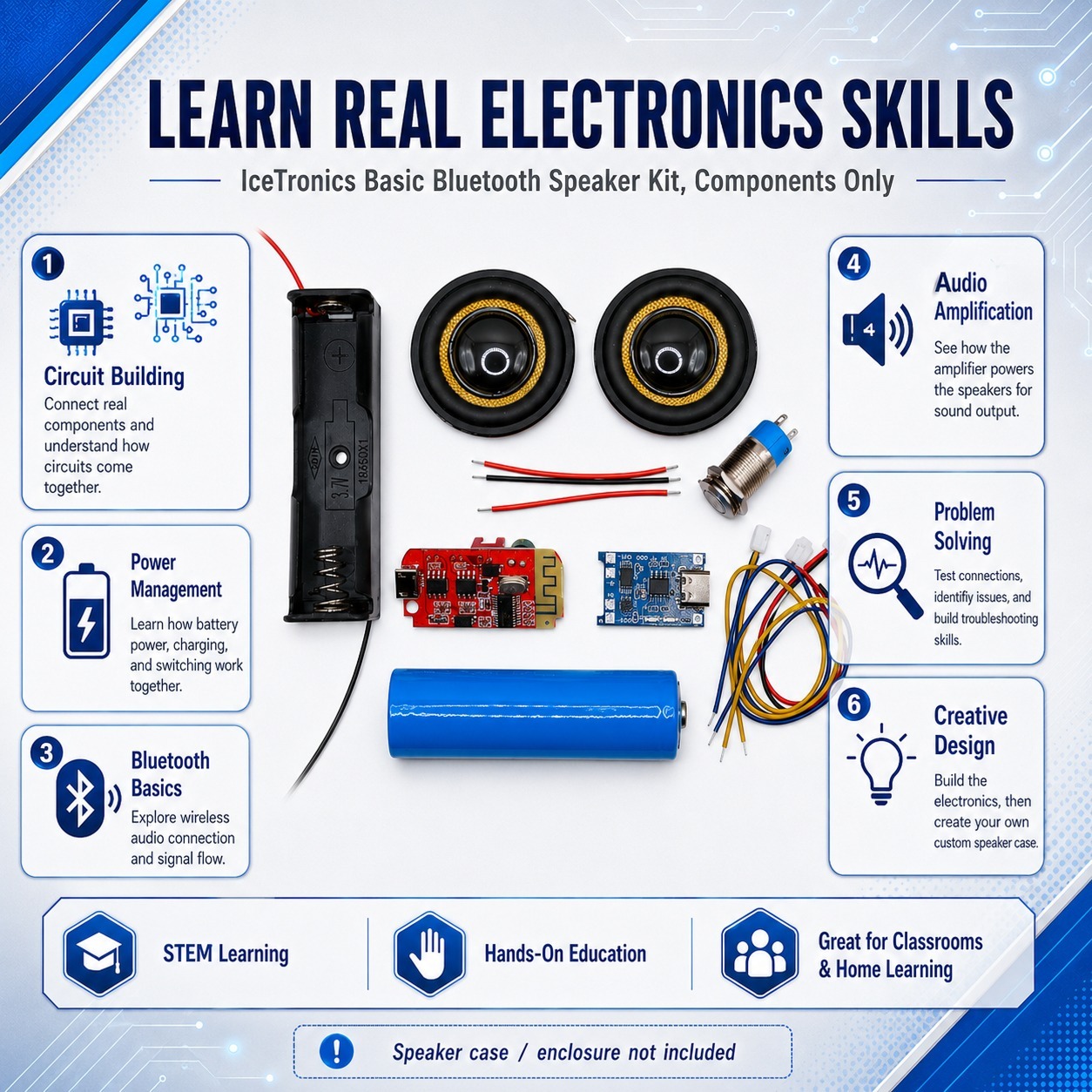
Note: Speaker case/enclosure materials are not included. Students design and fabricate their own custom cases using materials of their choice. This allows for creative expression and additional hands-on learning in design and fabrication.
Learning Outcomes and Benefits
Core Electronics Concepts:
Students learn how electrical circuits function in real devices. They learn about positive and negative connections. They also study voltage regulation and the importance of correct polarity. These ideas are real now. Students notice the effects quickly when their connections are correct or incorrect.
The kit teaches power management principles that apply to every battery-powered device. Students discover why batteries require special charging circuits. They also learn how switches manage power flow and discover how lithium-ion batteries store and deliver energy safely.
Wireless Technology Understanding:
Students explore two different wireless technologies in one project. Bluetooth wireless audio shows them how data travels through the air as radio waves. Wireless charging shows how electrical energy moves without wires. It uses electromagnetic induction to transfer power.
This hands-on exposure demystifies the “magic” behind wireless devices. Students see that wireless technology follows clear physical rules that they can measure.
Audio and Acoustics Principles:
The kit introduces fundamental concepts of sound production and amplification. Students learn how electrical signals become physical vibrations that create sound waves. They see why speaker polarity matters for proper bass response and clear audio.
The passive radiator component teaches students how speaker enclosures affect sound quality. They discover that the case isn’t just a box – it’s an acoustic chamber that shapes the audio output.
Problem-Solving and Troubleshooting:
Assembly requires careful attention to wiring diagrams and component placement. Students develop systematic thinking as they follow the block diagram from the power source through amplification to audio output.
When something doesn’t work, students learn diagnostic skills. They trace connections, check polarity, and verify each step against the guide. This troubleshooting process builds confidence and analytical thinking.
Creative Design Integration:
After completing the electronics assembly, students can design and build custom enclosures. This merges technical skills with creative expression. Some students might 3D print modern minimalist cases, while others might craft wooden vintage-style cabinets or experimental cardboard designs.
The enclosure design phase teaches students that engineering and art work together. They must balance aesthetics with functional requirements, such as speaker placement, wireless charging access, and acoustic performance.
Real-World Application:
Students create a device they’ll genuinely use. This isn’t a project that gets forgotten in a drawer. The speaker becomes a practical tool for listening to music, podcasts, or videos.
This real-world relevance keeps students motivated through challenges. They’re not just completing an assignment – they’re building something valuable for themselves.
Product Specifications
Audio Performance:
- Stereo Bluetooth connectivity (pairs with phones, tablets, and computers).
- Dual 40 mm speaker drivers (4 Ω impedance, 5 W power rating each)
- Passive radiator for enhanced low-frequency response.
- Left and right channel separation for true stereo sound.
Power System:
- 7V lithium-ion rechargeable battery
- USB-C charging input
- Wireless charging compatible (Qi-standard compatible receiver pad)
- Battery protection circuitry prevents overcharging and over-discharging.
- Latching power switch for on/off control.
Physical Specifications:
- Speaker drivers: 40 mm in diameter
- Battery: 18650 form factor (standard cylindrical lithium-ion cell)
- Total component assembly time: approximately 30 minutes
- Additional time for case design/construction varies by approach (2–8 hours).
Wireless Charging Requirements:
- Maximum enclosure thickness between charging pads: 3 mm for optimal performance.
- Thicker materials may reduce charging efficiency.
- Wireless charger receiver requires a USB power source (5V).
Safety Features:
- Regulated battery charging prevents damage from incorrect voltage or current.
- The battery holder removes the necessity of soldering directly to the battery cells.
- Clear polarity markings on all connection points.
- Switch provides a complete power disconnect when it’s off.
Tools and Materials Required
Essential Tools for Electronics Assembly:
- Soldering iron (temperature-controlled recommended, 350-400 °C)
- Solder (rosin-core electronics solder)
- Wire cutters or flush-cut diagonal cutters
- Wire strippers (for any additional wiring modifications)
- Small Phillips-head screwdriver (if needed for terminal connections)
Testing Equipment:
- USB power source (wall adapter or computer USB port for charging)
- Smartphone, tablet, or computer with Bluetooth capability.
Materials for Speaker Enclosure (Optional but Recommended):
Budget-Friendly Options:
- Cardboard (sturdy corrugated boxes work well).
- Craft knife and cutting mat
- Hot glue gun or craft glue.
- Paint or decorative materials
Intermediate Options:
- Thin plywood (3-6 mm thickness)
- Hand saw or craft knife.
- Wood glue and small clamps.
- Sandpaper and finish.
Advanced Options:
- 3D printer and filament
- CAD software for design
- Laser cutter access (for precise panels)
- Acoustic dampening materials
Safety Equipment:
- Safety glasses (for soldering and cutting)
- Well-ventilated workspace (soldering produces fumes).
- Heat-resistant work surface or soldering mat.
Note: The wireless charging feature works best when the enclosure material between the charging pads is no thicker than 3 mm. Plan your case design accordingly if you want wireless charging to work efficiently.
Frequently Asked Questions (FAQ)
Q: Do students need electronics experience to build this kit?
A: No prior experience is required. The guide provides step-by-step instructions. Adult supervision is recommended for younger students during soldering.
Q: What age group is this kit appropriate for?
A: Ages 10+ through adults. Younger students can build it with adult help.
Q: Is the wireless charging feature really necessary?
A: No, it’s optional, but it adds educational value. The speaker works fine with standard USB-C charging.
Q: What materials work best for the speaker enclosure?
A: Cardboard works great for beginners. Wood offers better sound and durability. 3D printing provides precision but requires equipment access.
Q: Can the kit be reused or modified after the initial assembly?
A: Yes! Components can be desoldered and reconfigured for different designs and experiments.
Q: How does this kit fit into the existing curriculum?
A: It aligns with STEM standards for circuits, electronics, and wireless technology. It fits into 2-4 class sessions.
Q: Is soldering absolutely required?
A: Soldering is recommended for reliable connections. It’s also a great opportunity to learn this valuable skill.
Q: What safety precautions are important?
A: Handle batteries carefully, don’t puncture them. Solder in well-ventilated areas. Check polarity. Also, supervise students during assembly.
Reviews
There are no reviews yet.